
Download Jotgenius – AI‑Powered Content Generator Tool for Writers, Marketers & Teams
Why Jotgenius Is Changing the Way Content Is Created
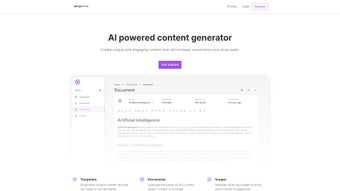
In a world where fresh, high‑quality content is the lifeblood of every digital strategy, Jotgenius arrives as a powerful ally. This AI‑driven content generator combines cutting‑edge natural‑language processing with a library of more than 50 ready‑made templates, allowing anyone—from solo bloggers to large marketing departments—to produce articles, blog posts, ad copy, job descriptions, and even social‑media snippets in a matter of seconds. What sets Jotgenius apart is its intuitive “describe‑your‑need” interface: you simply type a brief prompt, select a template, and the engine instantly delivers a polished, ready‑to‑publish draft.
The platform also integrates an image‑generation module, so visual assets can be created alongside text, boosting engagement without the need for separate design tools. Whether you’re looking for a free solution to test the waters or a subscription that unlocks API access and custom templates, Jotgenius offers a tiered pricing model that scales with your requirements. The result is a fast, secure, and affordable way to keep your content pipeline full, reduce writer’s block, and maintain a consistent brand voice across channels.
Key Features and System Compatibility
Jotgenius packs a rich set of capabilities that address the full lifecycle of content creation. The tool is built as a cloud‑based SaaS, which means you can access it from any modern browser on Windows, macOS, Linux, Android, or iOS devices. Because the heavy lifting is performed on Jotgenius’s servers, there’s no need for powerful local hardware—just a reliable internet connection. Below is a detailed feature list that illustrates why this app has quickly become a favorite among digital professionals.
- 50+ Pre‑Made Templates: From SEO‑optimized blog posts to persuasive ad copy, each template is engineered for a specific content type.
- AI‑Generated Text: Uses a large language model trained on billions of words to produce human‑like, context‑aware copy.
- Custom Template Builder: Create and save your own templates for brand‑specific language and tone.
- Integrated Image Generation: Generate royalty‑free images that match your text, all within the same interface.
- Data Export Options: Download content as .docx, .txt, or directly push to Google Docs, WordPress, and other CMS platforms.
- API Access: Automate content generation in your own applications or workflows with a robust REST API.
- Collaboration Workspace: Invite team members, assign roles, and track revisions in real time.
- Secure Cloud Storage: All generated content is encrypted at rest and in transit, complying with GDPR and CCPA standards.
- Free Tier & Affordable Plans: Start for free with limited credits, then upgrade to monthly or yearly subscriptions for unlimited use.
- Continuous Updates: The AI engine receives monthly improvements, ensuring you always have the latest language models.
Because Jotgenius is a web‑based application, it runs seamlessly on Windows 10/11, macOS Monterey and later, popular Linux distributions, as well as mobile operating systems such as Android 8.0+ and iOS 13+. There is also a lightweight desktop wrapper for Windows and macOS for users who prefer a dedicated app experience, but the core functionality remains identical across all platforms.
Getting Started, Everyday Workflow, and What Users Like (and Dislike)
Installation & First‑Time Setup
Starting with Jotgenius is straightforward. After you sign up for a free account, you’ll receive a verification email. Click the link, then log in to the dashboard. No software download is required for the web version; however, if you prefer a desktop client, simply click “Download App” from the settings menu, run the installer, and follow the on‑screen prompts (the process takes less than two minutes on a typical PC). Once installed, the app automatically syncs with your cloud account, so any work you start on the web is instantly available on the desktop client and vice versa.
Typical Usage Flow
1. Define Your Goal: Choose a template that matches your content type (e.g., “Blog Post – SEO Friendly”).
2. Enter a Prompt: Provide a concise description—such as “10 tips for remote team productivity” or “Landing page copy for a SaaS security product.”
3.
Adjust Settings: Set tone (formal, casual, witty), word count, and whether you need an accompanying image.
4. Generate: Click “Create” and watch the AI produce a draft within seconds.
5. Refine & Export: Edit any sections, add headings, or request a rewrite for specific paragraphs.
When satisfied, export the file or publish directly to your CMS.
Pros & Cons – A Structured Review
Overall Rating: ★★★★☆ (4.3/5)
Pros
- Lightning‑fast content generation saves hours of writing time.
- Extensive template library reduces the need for manual research.
- Built‑in image creator eliminates the need for third‑party design tools.
- Cross‑platform compatibility ensures you can work from any device.
- Free tier is generous enough for occasional users or small teams.
- API access allows integration with existing marketing automation pipelines.
Cons
- Advanced customization (e.g., brand‑specific jargon) may require a paid plan.
- Occasional factual inaccuracies—typical of generative AI—need human review.
- The desktop client is a thin wrapper; some users prefer a native experience.
- Limited offline capability; an internet connection is mandatory.
In practice, most users find the speed and versatility of Jotgenius to outweigh its minor drawbacks. The platform shines brightest when used as a first‑draft engine, after which a quick human edit ensures factual correctness and brand alignment.
Frequently Asked Questions About Jotgenius
Is there a completely free version of Jotgenius?
Yes. Jotgenius offers a free tier that provides a limited number of credits each month, allowing you to generate up to 5 short pieces of content or one long‑form article. It’s perfect for testing the platform or for occasional writers.
Can I use Jotgenius for commercial projects?
Absolutely. All paid plans include a commercial‑use license, so you can publish the generated content on client websites, marketing campaigns, or any revenue‑generating channel without additional fees.
How does the image generation work?
Jotgenius integrates a diffusion‑based AI model that creates royalty‑free images based on the text prompt you provide. You can select style preferences (photorealistic, illustration, abstract) and the AI returns a ready‑to‑use picture that matches your content.
Is my data safe when I use Jotgenius?
Yes. All data is encrypted in transit (TLS 1.3) and at rest (AES‑256). Jotgenius complies with GDPR, CCPA, and other major privacy regulations, and you can delete your data at any time from the account settings.
Can I integrate Jotgenius with my existing workflow?
Yes. The platform offers a RESTful API, webhooks, and native plugins for WordPress, HubSpot, and Zapier. This makes it easy to trigger content generation automatically from other tools you already use.
Final Verdict – Should You Download Jotgenius?
If you spend any amount of time creating written material—whether for a blog, an ad campaign, or internal documentation—Jotgenius is a compelling addition to your toolkit. Its AI engine produces high‑quality drafts in seconds, the built‑in image creator adds visual polish, and the generous free plan lets you evaluate the service without risk. While you’ll still want a human editor to verify facts and fine‑tune brand voice, the time saved on first drafts can be redirected toward strategy, creativity, or scaling your output. Ready to experience faster, smarter content creation? Download Jotgenius now and start generating your first piece for free!






